

Editing & Updating a Case
You can update case information at any point before or after generating a protocol.
To Edit a Case:
Open the case from your dashboard.
Click Edit Intake to update any intake fields.
Save your changes.
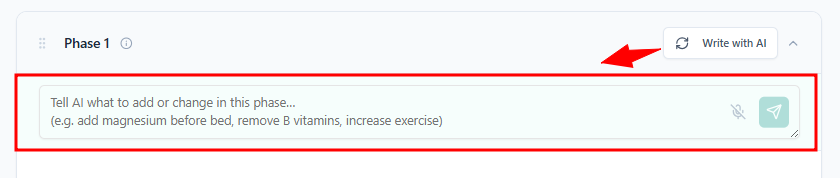
TIP: To quickly update intake information after a protocol has is generated, use the “Write with AI” to regenerate it with the new data by using plain text or even your voice.
Viewing Case Information While Editing a Protocol
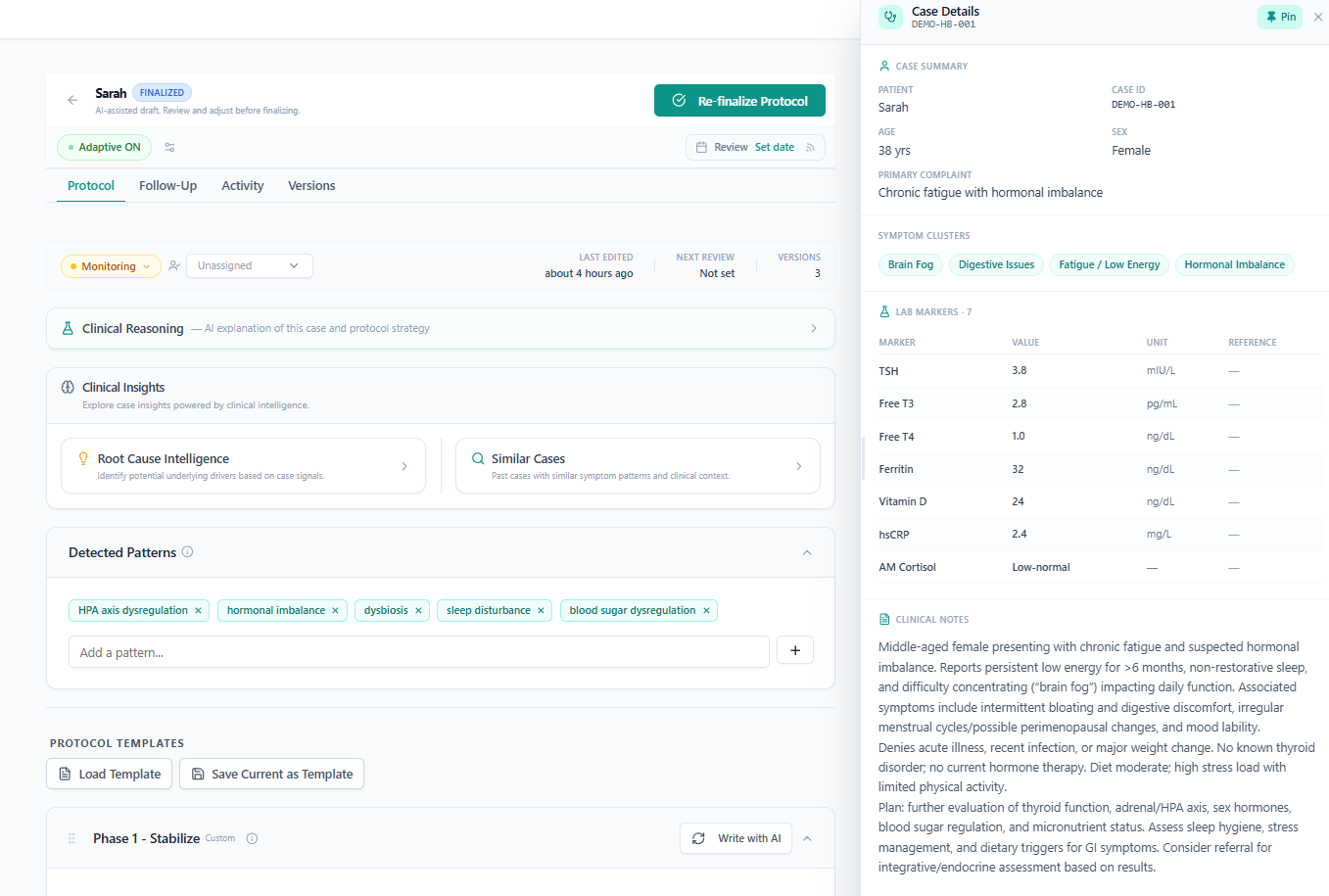
When you are inside the protocol editor, you can open the Case Summary Drawer (usually a side panel) to view the full intake details without leaving the editor. This helps you cross-reference clinical data while making edits.
Activity Log
All key actions on a case — intake updates, protocol generations, edits, finalizations — are recorded in the case Activity Log. This gives you a clear audit trail of how the case progressed.