

How Patient Check-Ins Work (Follow-Up Tracking)
PraxPilot allows you to collect structured follow-up updates from patients using secure, no-login check-in links.
This helps you track progress, monitor outcomes, and stay organized—without needing a patient portal or back-and-forth messaging.
What This Feature Does
Patient Check-Ins allow you to:
Request a quick progress update from a patient
Collect structured feedback (improvement, symptoms, notes)
Automatically log updates inside the case
Keep all follow-up activity organized in one place
This feature is part of the Follow-Up module.
How It Works
Step 1 — Create a Check-In Link
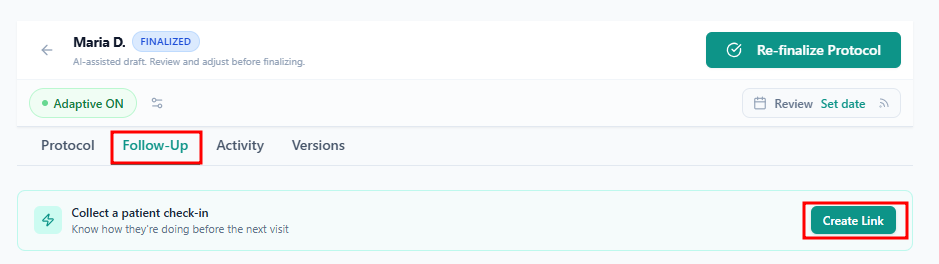
Inside a case:
Go to the Follow-Up tab
Click “Create Check-In Link”
Select how long the link should remain active (e.g. 3, 7, or 14 days)
Copy the generated link
You can share this link with your patient via email, SMS, or any messaging app.
Step 2 — Patient Submits Their Update
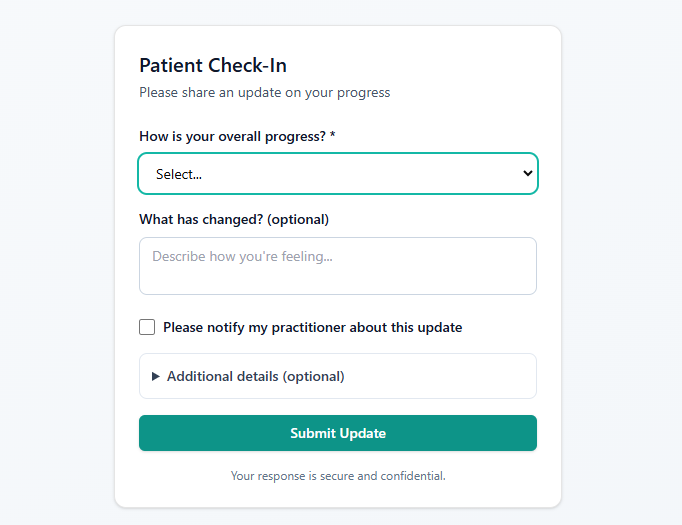
The patient opens the link (no login or email required) and completes a short form:
Overall progress (e.g. better, no change, worse)
Symptom updates (optional)
Notes (optional)
Adherence / side effects (optional)
Option to request follow-up
The process is designed to be fast and mobile-friendly with a simple thank you message.
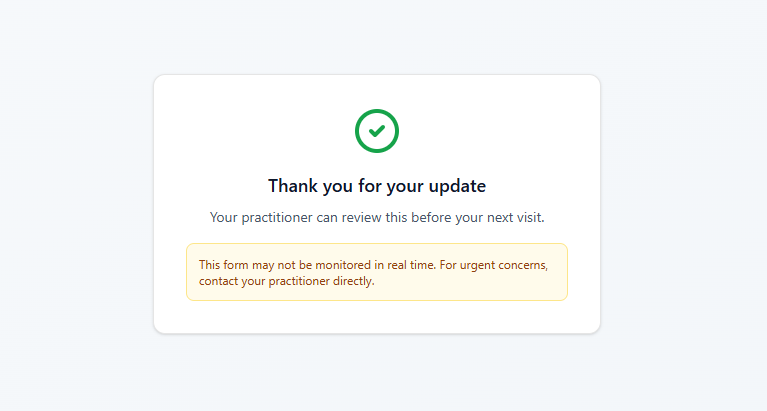
Step 3 — View the Response in Your Case
Once submitted:
A new update appears in the Follow-Up tab
A timeline entry is added automatically
The activity is recorded in the Activity log
You’ll see a “New update” indicator
You'll also receive an email if the user marks the message as important that looks like this:
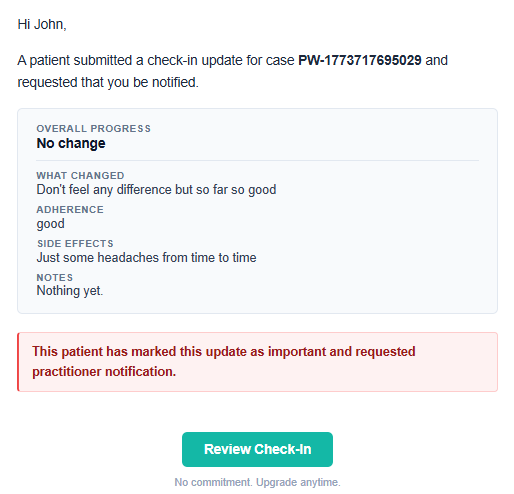
You can review the response and decide on the next step.
How It Fits Your Workflow
Patient Check-Ins extend your existing workflow:
Use them before scheduled follow-ups
Use them between protocol phases
Use them to monitor adherence or progress
Use them to inform outcome tracking
They are designed to support—not replace—your clinical decision-making.
Important Notes
Patients do not need an account
Each check-in link is secure and time-limited
Each link can be used once only
You can regenerate a new link if needed
No patient portal or messaging system is involved
Best Practices
To get the most value:
Send check-ins before scheduled follow-ups
Keep communication simple when sharing the link
Review updates before marking a case as completed
Use responses to support Outcome Tracking
Privacy & Data Handling
Check-in links use secure, token-based access
No sensitive information is included in the link
Responses are stored within the case record
You control what information is collected and how it’s used
As always, avoid including unnecessary identifiable patient information when possible.
When Should I Use Check-Ins?
Use Patient Check-Ins when you want to:
Track progress without scheduling a full consultation
Quickly assess if a protocol is working
Collect structured feedback before your next review
Maintain visibility across multiple active cases
Summary
Patient Check-Ins give you a simple, structured way to stay connected to patient progress—without adding complexity to your workflow.
They help you:
Stay organized
Make better decisions
Track outcomes more effectively