

Applying Templates to New Cases
Templates let you start new protocols from a proven structure rather than from scratch.
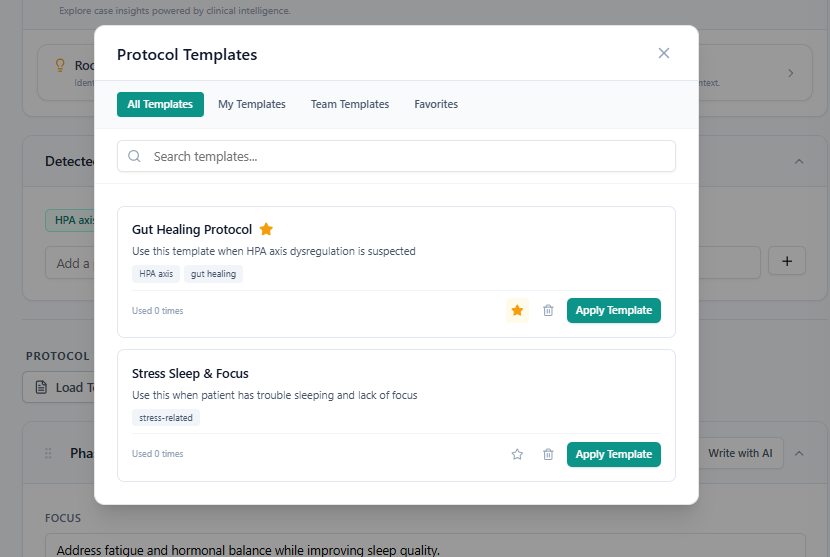
To Apply a Template:
Option A — From a New Case:
After completing case intake and clicking Generate, look for the Start From Template option.
Browse or search your template library.
Select a template to use as the starting point.
PraxPilot will apply the template structure and then adjust it based on the new case data.
Option B — From Inside the Protocol Editor:
Click Apply Template in the editor menu.
Select a template from your library.
Choose whether to replace the current protocol or apply the template to a specific phase.
Templates and AI Adjustment
When a template is applied, PraxPilot does not simply copy it. It uses the template as a structural starting point and adapts it based on the current case's intake data. This means the output is still case-specific — just faster to produce.