

Setting Follow-Ups & Reminders
Follow-Ups in PraxPilot help you stay on top of patient progress by scheduling reviews, tracking upcoming tasks, and completing follow-up visits efficiently.
The system is designed to be simple:
Set a review date
Get reminded
Complete the follow-up
Track progress over time
Key Components
Review Date
Schedules a future follow-up for the case
Appears on the dashboard and follow-up timeline
Follow-Up Timeline
A history of all follow-up activity
Includes scheduled, completed, and logged entries
Marks the review as completed
Can trigger outcome tracking
Setting a Follow-Up Date
Inside any case, you can set a follow-up date from the top bar (next to “Review”).
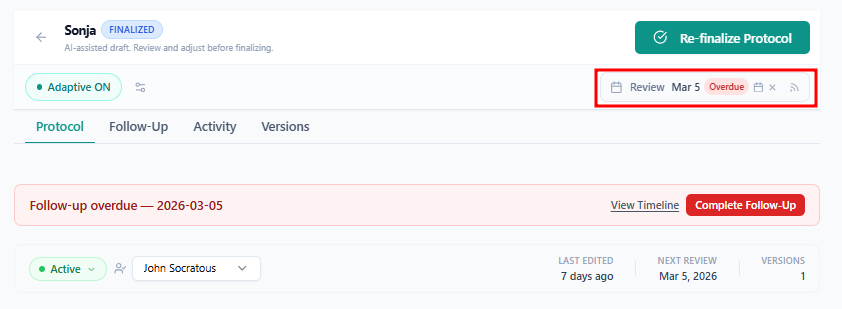
This date becomes the source of truth for:
Upcoming reviews on your Dashboard
Follow-Up Timeline inside the case
Status indicators like Due Soon or Overdue
Upcoming Reviews (Dashboard)
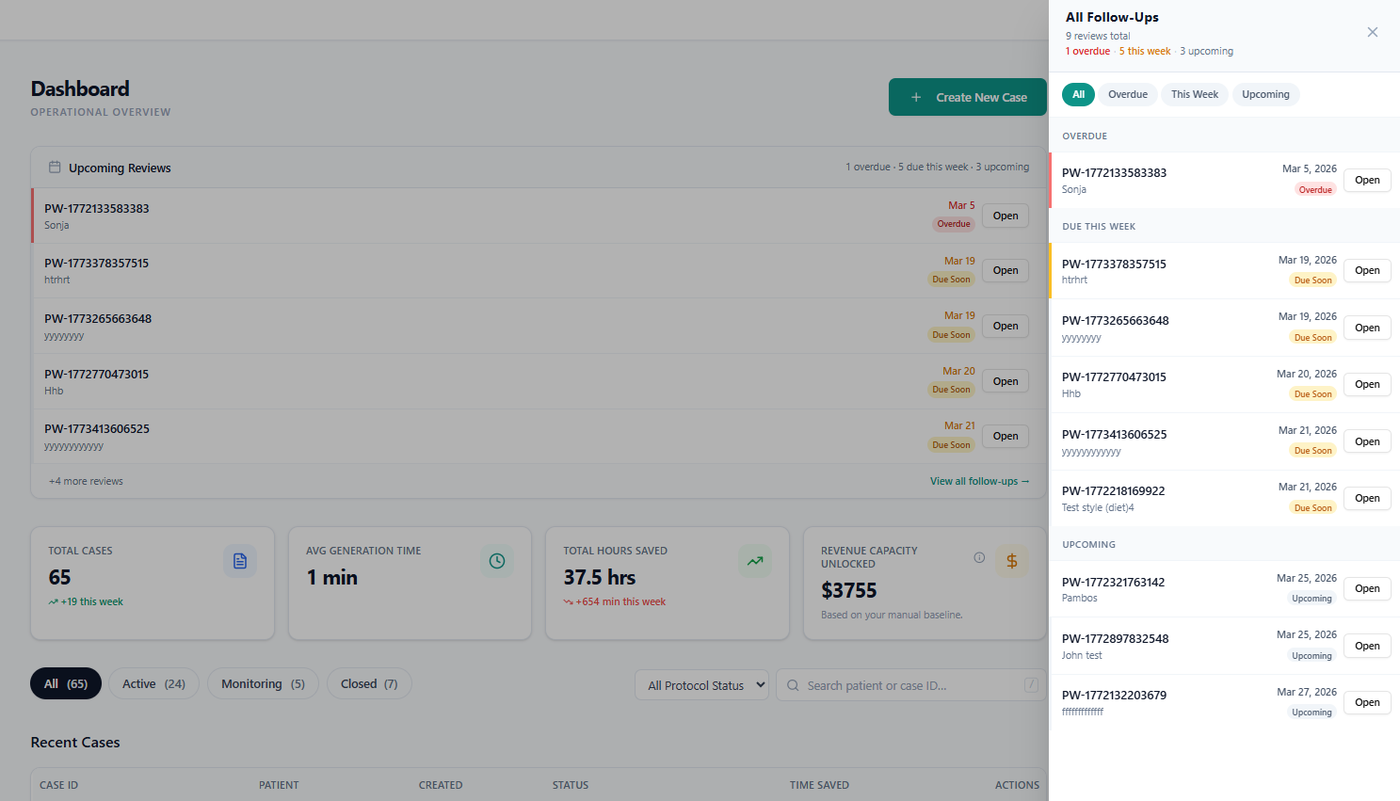
Your Dashboard highlights all scheduled follow-ups:
Overdue → needs immediate attention
Due Soon → upcoming this week
Upcoming → scheduled ahead
Clicking Open takes you to the case so you can take action.
Follow-Up Timeline
The Follow-Up tab inside each case gives you a clear timeline of activity.
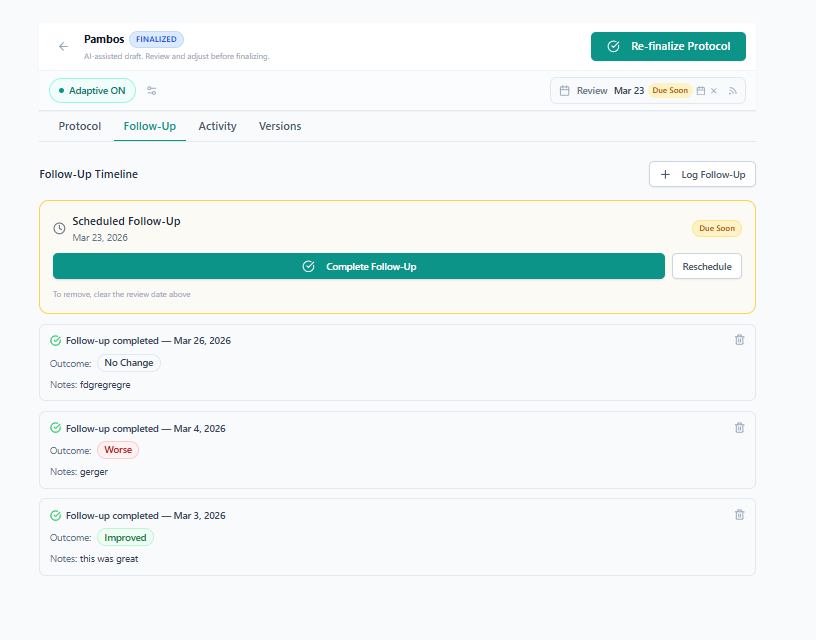
It includes:
Scheduled Follow-Ups (upcoming or overdue)
Completed Follow-Ups
Historical entries
Completing a Follow-Up
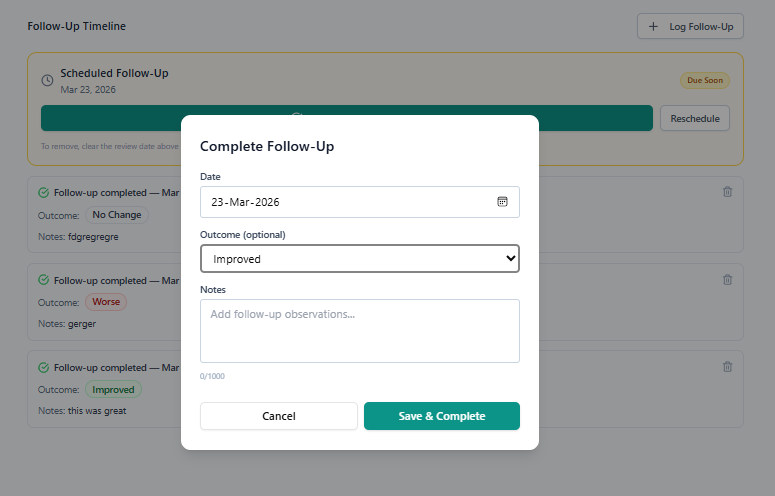
When a follow-up is due:
Open the case
Go to the Follow-Up tab
Click Complete Follow-Up
You’ll be prompted to:
Confirm the date
Select an outcome (optional)
Add notes (optional)
Once saved:
The follow-up is marked as completed
It moves into the timeline history
You can optionally schedule the next follow-up
👉 Learn more about outcomes here →
Rescheduling a Follow-Up
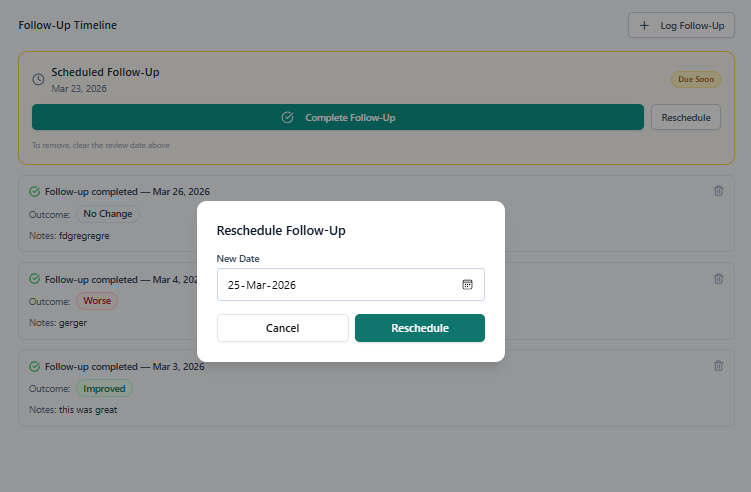
If a follow-up needs to be postponed:
Click Reschedule inside the Follow-Up card
Select a new date
This updates:
The top review date
The timeline
Your dashboard reminders
Manual Follow-Up Entries
You can also log follow-ups manually using “Log Follow-Up”.
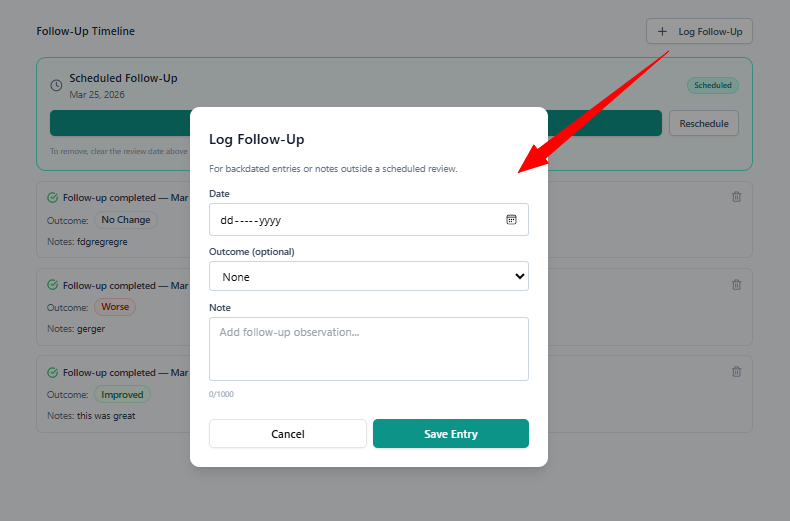
Use this when:
Recording past visits
Adding notes outside scheduled reviews
Removing a Follow-Up
To remove a scheduled follow-up:
👉 Clear the review date from the top bar
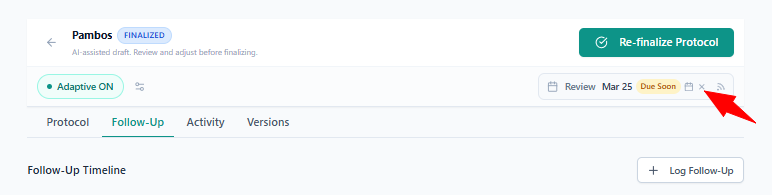
This will automatically remove it from:
Timeline
Dashboard
Case status
💡 Best Practice
Use Follow-Ups as a simple loop:
Schedule →
Review →
Complete →
Schedule next
This keeps patient care structured and consistent.
Patient Check-Ins
You can request structured updates from patients using secure check-in links.
See: How Patient Check-Ins Work