

Importing Consultation Notes or Transcripts
If you already have consultation notes, transcripts, or written summaries from a patient session, you can import them directly into PraxPilot instead of manually filling in the intake form.
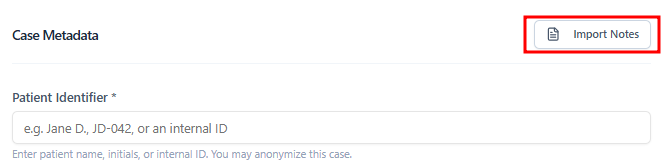
How It Works
When creating a new case, click Import Notes or Upload Transcript.
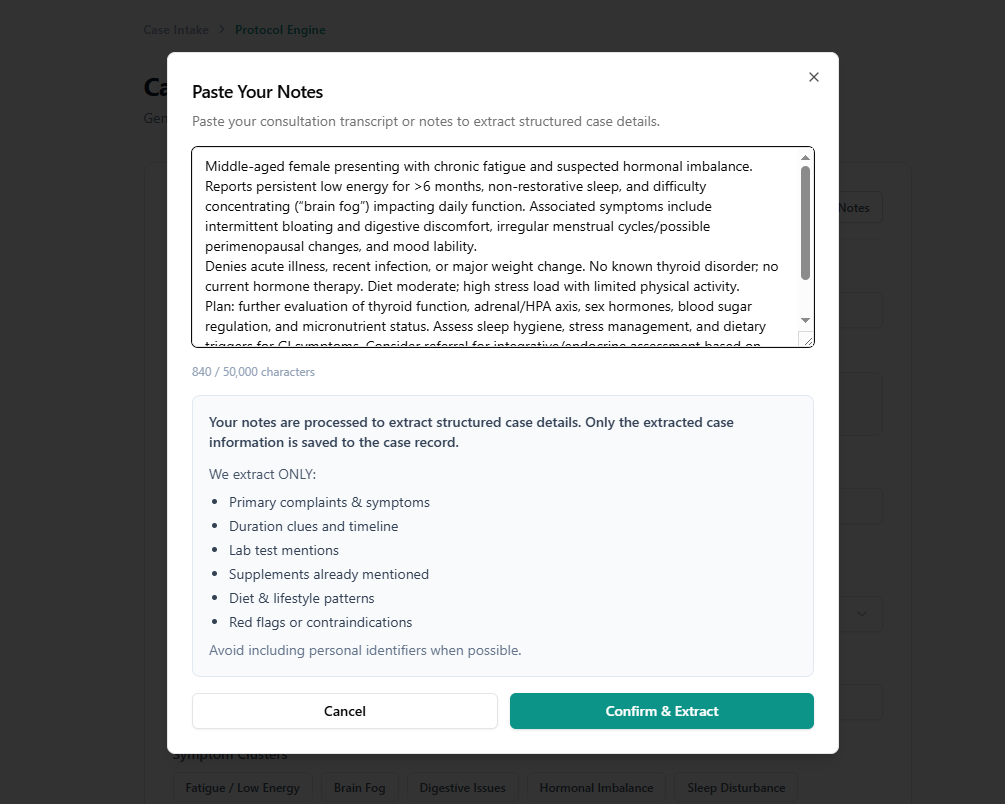
Upload your document (supported formats currently includes plain text).
PraxPilot automatically extracts relevant clinical signals — symptoms, notes, lab references, patient demographics — and populates the intake fields.
Review the extracted data and make any corrections before generating the protocol.
Step #1: Add long notes/transcript
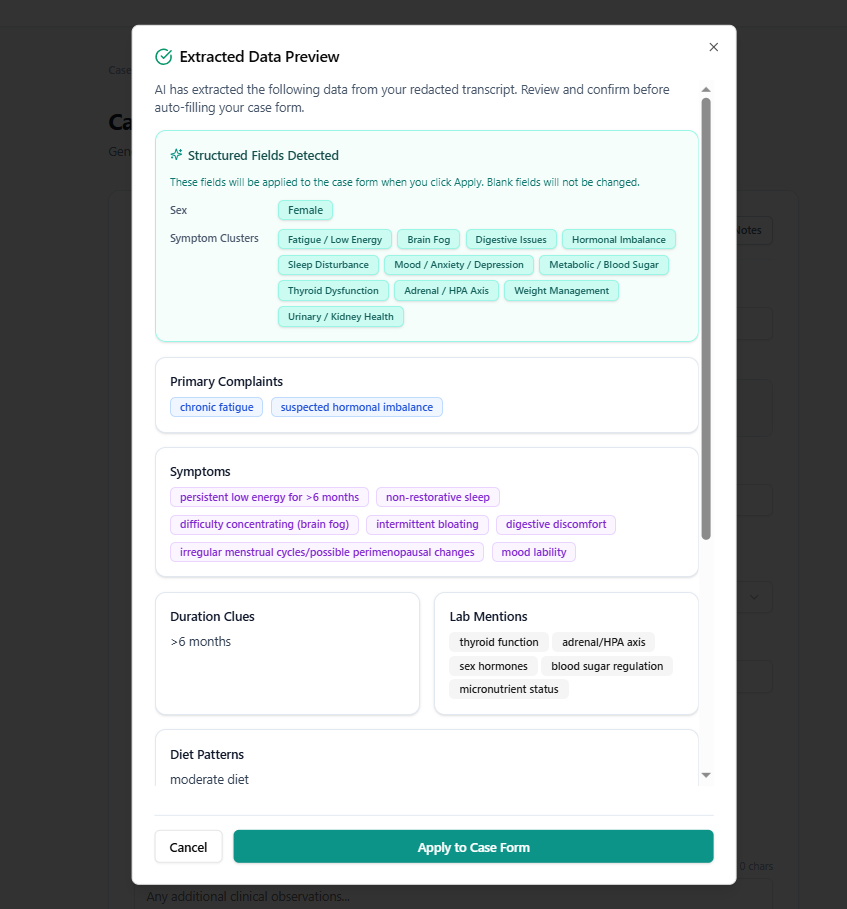
Step #2: Preview Extracted Data & Apply
How Structured Data is Applied
PraxPilot not only extracts free-text notes — it also identifies structured clinical signals and maps them into your case form where possible.
During the Extracted Data Preview, the system may detect:
Primary complaints & symptoms
Symptom clusters (e.g. Fatigue, Digestive Issues, Hormonal Imbalance)
Biological sex (when clearly stated)
Duration clues (e.g. “>6 months”)
Lab mentions, diet, and lifestyle patterns
Clinical context
Relevant signals for analysis
These are shown for your review before applying.
Always review extracted data before generating a protocol to ensure accuracy.
What gets filled automatically
PraxPilot will populate fields when confidence is high, such as:
Clearly stated sex (e.g. “female”, “male”)
Symptom clusters that match your available selections
Primary complaints and key symptoms
What requires your confirmation
Some information is intentionally not auto-filled unless explicitly provided:
Exact age (unless numerically stated, e.g. “38-year-old”)
Ambiguous or inferred details
You always remain in control — you can review, edit, or remove any extracted data before applying it to the case.
This ensures both speed and clinical accuracy.
Data Privacy Recommendation
When importing consultation notes or lab documents, we recommend avoiding the inclusion of directly identifiable patient information whenever possible.
Examples of identifiable information include:
Full patient names
Addresses
Phone numbers
Email addresses
Insurance identifiers
Social security numbers
Instead, consider using a case identifier or patient initials when documenting cases.
PraxPilot is designed to work effectively with clinical signals such as symptoms, lab markers, and practitioner notes, without requiring identifiable patient data.
This approach helps reduce unnecessary exposure of sensitive information while still allowing the system to generate clinically useful protocols.
Tips
The more structured your notes, the more accurate the extraction.
Always review extracted fields before generating — the system may occasionally miss or misclassify a detail.
Transcripts from recorded consultations work well, even if they include conversational language.